
AI Assistant Mobile App UI/UX Design – Smart Voice Chat, Persona
Project description
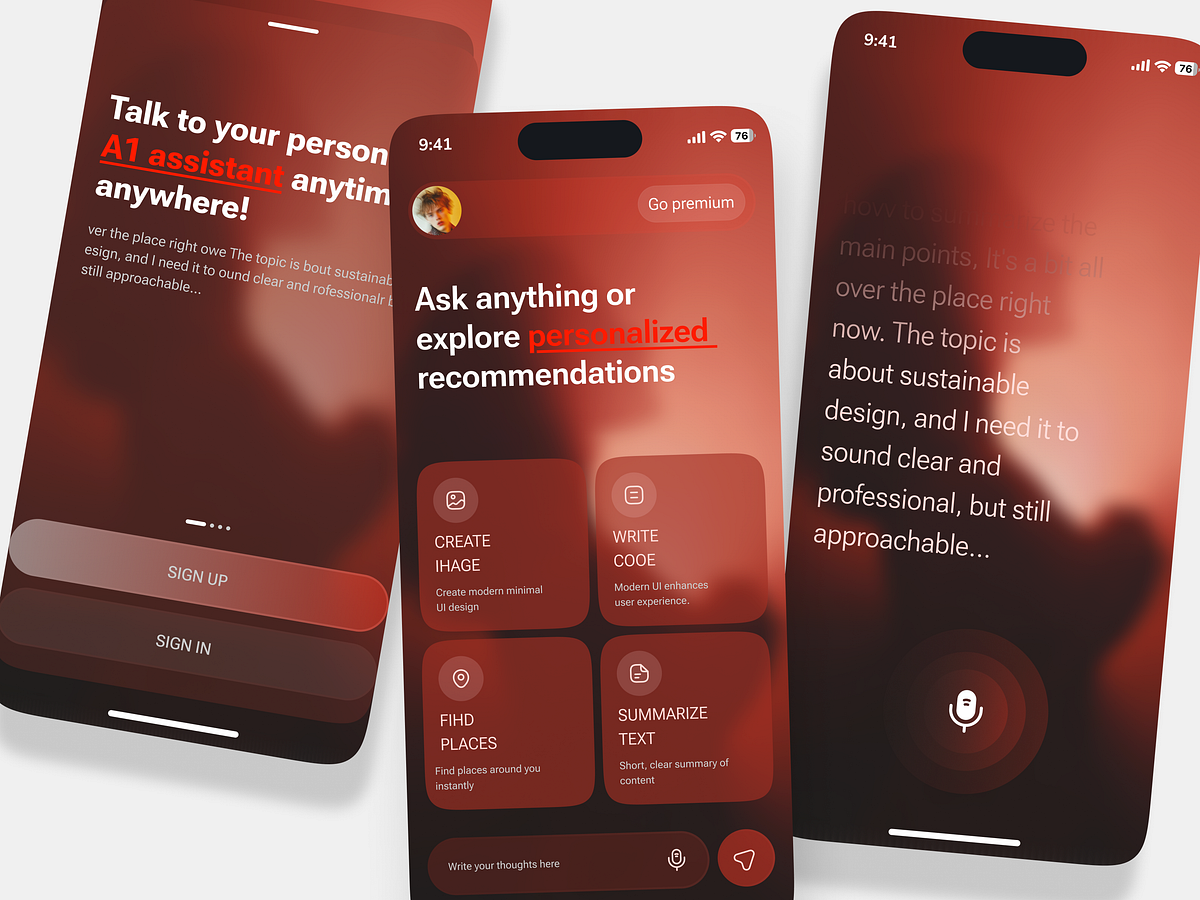
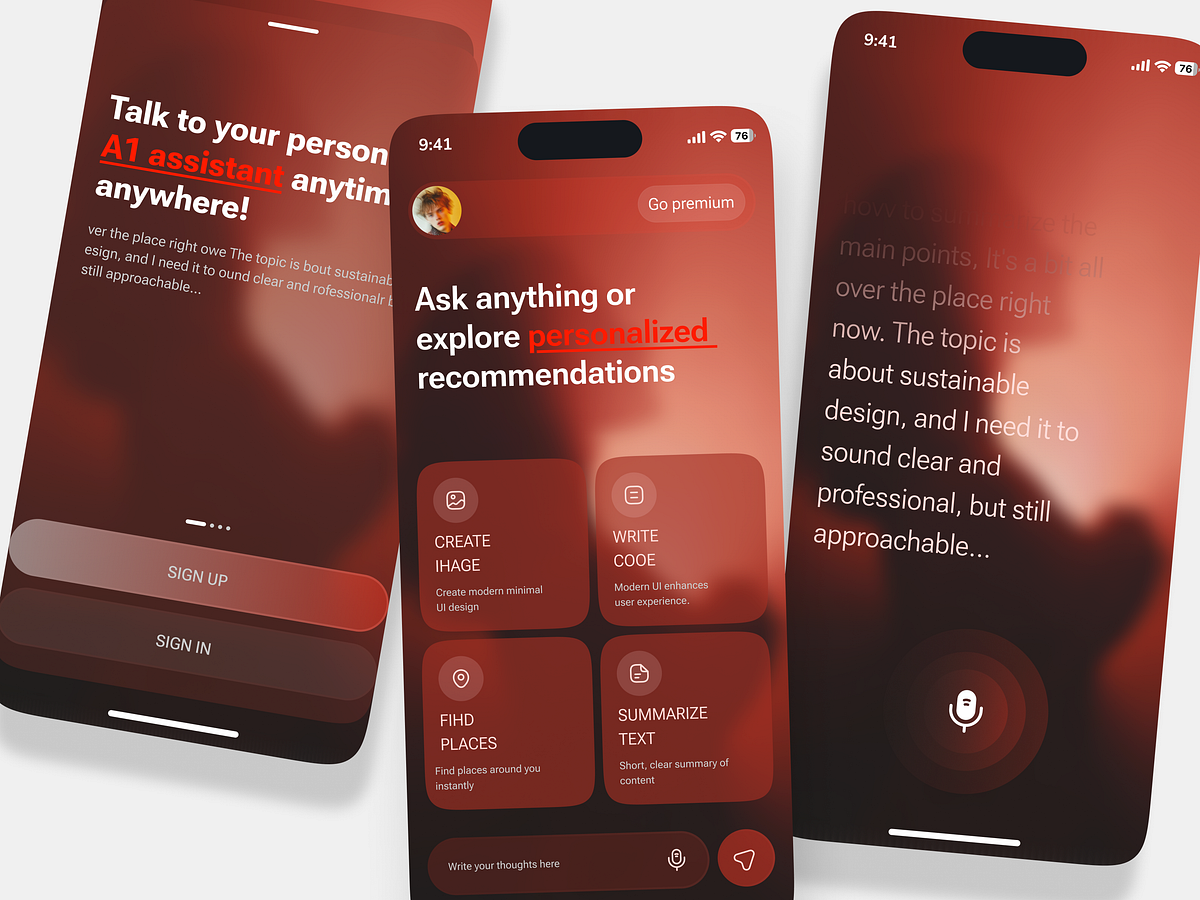
About the Project Discover a modern AI Assistant Mobile App UI/UX Design concept built to make everyday digital interactions smarter, faster, and more intuitive. This mobile AI interface combines smart voice chat, personalized recommendations, AI-powered writing, image creation, location discovery, and text summarization in one seamless experience. Designed for startups, SaaS founders, and entrepreneurs building AI-powered mobile applications, this concept focuses on a clean user journey, engaging visuals, and accessible AI features. The warm gradient palette, conversational interface, and intuitive feature cards create a premium digital experience that feels both innovative and approachable. Whether you're developing an AI chatbot, a personal AI assistant, or a voice-enabled productivity app, this UI/UX concept demonstrates how thoughtful interface design can simplify complex AI capabilities and make them easier for users to adopt. Client Pain Points Complex AI interactions: Users may struggle with AI tools that feel technical, confusing, or difficult to navigate. Fragmented user experience: Switching between separate apps for writing, voice chat, image creation, and summarization creates unnecessary friction. Low user engagement: Generic interfaces can make AI applications feel impersonal and less appealing for everyday use. Poor voice interaction design: Unclear microphone controls and feedback can make voice-based conversations feel less intuitive. Feature discoverability: Users may overlook valuable AI capabilities when they are hidden behind complicated menus. User retention challenges: A lack of personalization and a consistent experience can reduce repeat usage and long-term engagement. Business Task to Solve The goal is to design a user-friendly AI assistant mobile app that brings multiple AI-powered tools together in a single, cohesive interface. Simplify AI access: Make voice conversations, writing assistance, image creation, and text summarization accessible from the home screen. Improve onboarding and usability: Create a clear interface that helps first-time users understand the product quickly. Enable personalized recommendations: Help users discover relevant AI capabilities based on their needs and activities. Optimize voice-first interactions: Design intuitive microphone controls and a distraction-free conversational experience. Strengthen product engagement: Use clear feature cards, visual hierarchy, and a consistent design system to encourage exploration. Support scalable product development: Establish a flexible UI/UX foundation that founders and development teams can extend as new AI features are introduced. Design Approach This concept combines modern mobile UI patterns, warm gradient colors, rounded feature cards, and clear typography to create an approachable AI-powered experience. Each screen is designed to reduce cognitive load while keeping essential actions easy to find. Building an AI assistant, chatbot, or voice-enabled SaaS product? Thoughtful UI/UX design can help turn powerful AI technology into a product that users understand, enjoy, and return to.