
AI Video Editor App UI Design Smart Video Editing & Timeline Con
Project description
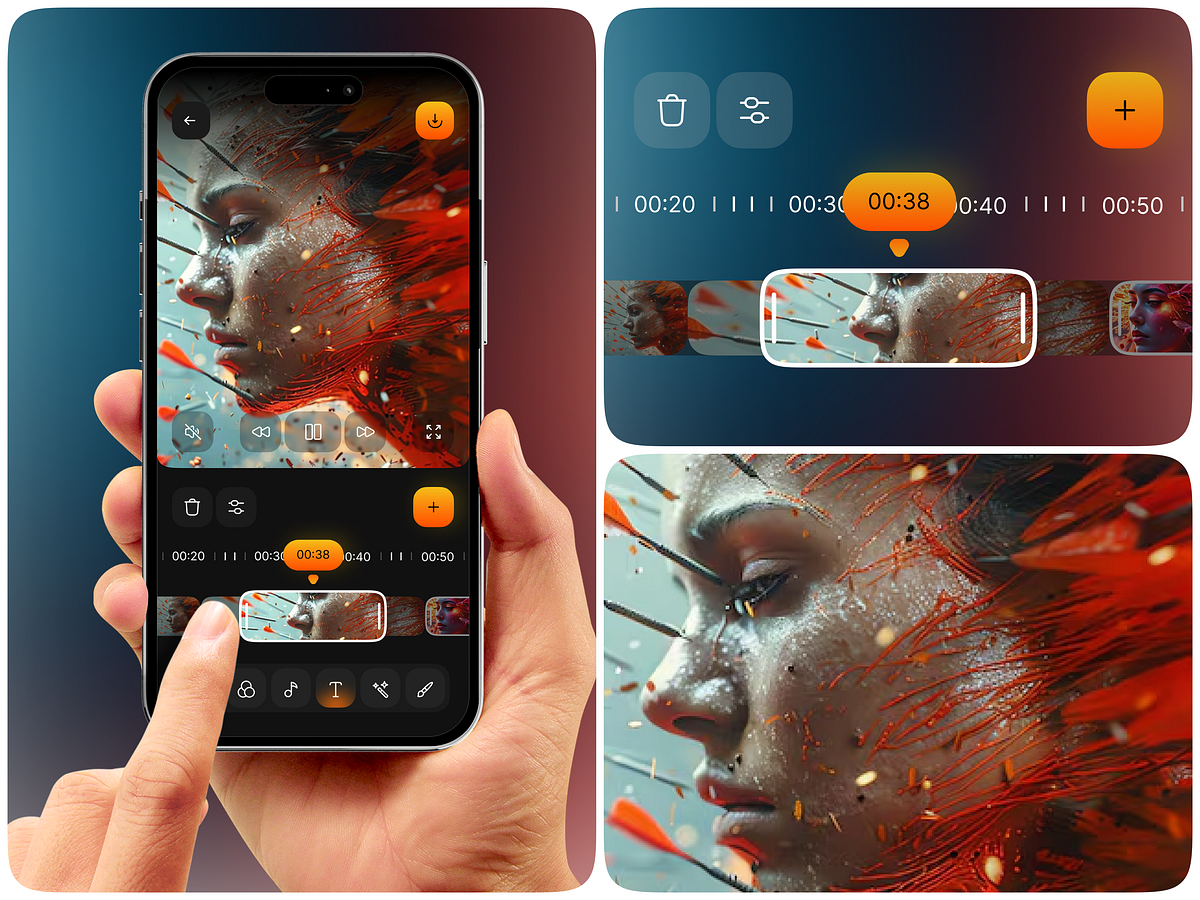
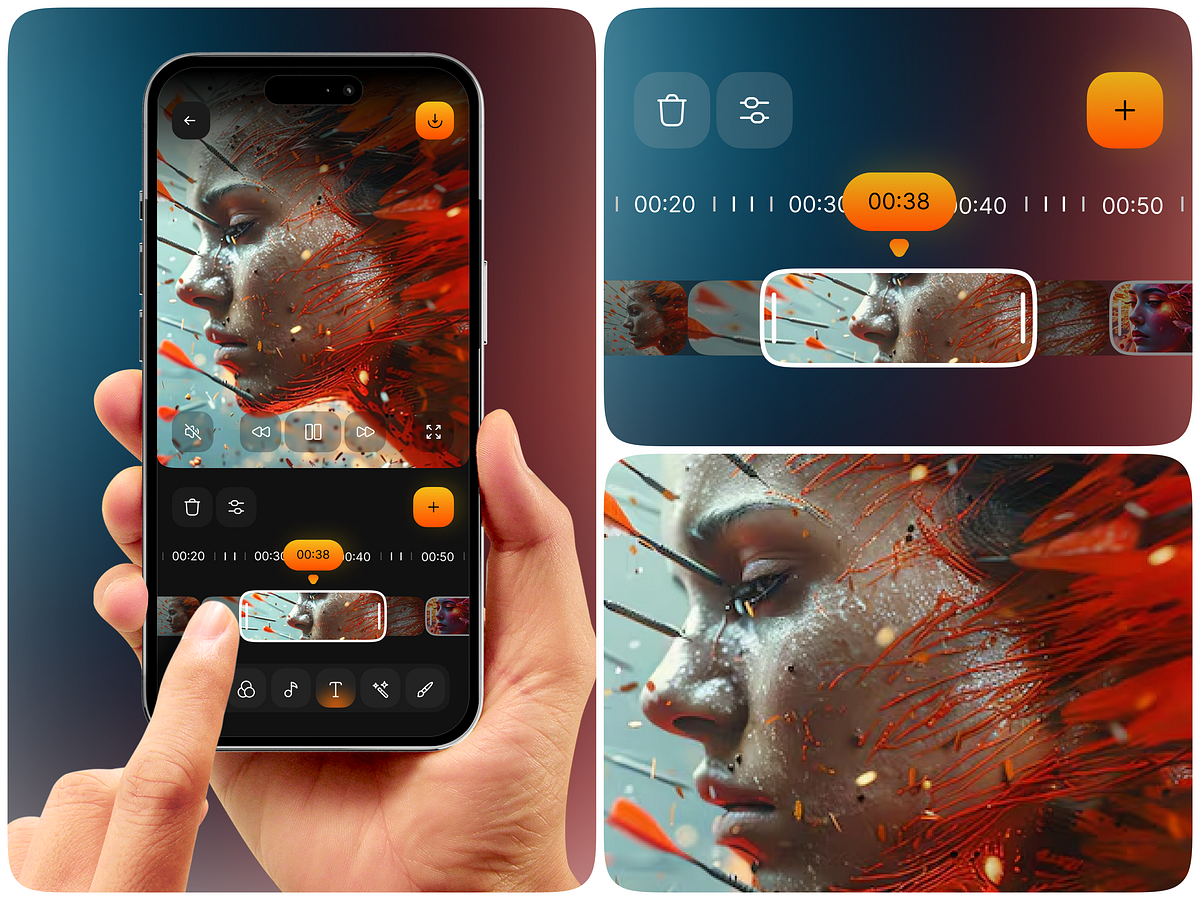
Hey Everyone! 👋 Video content creation is evolving rapidly, and creators need faster, smarter, and more intuitive ways to edit videos directly from their smartphones. This AI Video Editor App UI/UX Design explores a modern mobile editing experience built for content creators, influencers, video professionals, and businesses looking to simplify video production. The concept focuses on an intuitive editing interface with smart timeline controls, precise clip selection, visual previews, and accessible creative tools. Users can navigate video footage, select specific frames, trim clips, and manage editing elements through a clean, user-friendly mobile interface. For founders planning to build an AI-powered video editing platform, the goal is to create an experience that makes professional-quality video editing more accessible without overwhelming users with complicated controls. Client Pain Points Building a successful mobile video editing application comes with several UX challenges: Complex Editing Workflows: Traditional editing interfaces can feel overwhelming for beginners who want to create professional-looking videos quickly. Difficult Timeline Navigation: Selecting specific frames, trimming clips, and managing video sequences can be challenging on smaller mobile screens. Time-Consuming Editing: Content creators need faster workflows to edit and publish videos without spending hours on manual adjustments. Poor Mobile Usability: Too many editing controls and complicated interactions can negatively impact the overall user experience. Lack of Creative Flexibility: Users need accessible tools to customize footage, manage visual elements, and refine their video content. Business Task to Solve The primary business objective is to design a scalable, user-friendly mobile video editing experience that simplifies the entire creative process. The proposed UI/UX solution focuses on: Smart Timeline Control: Provide an intuitive timeline interface for selecting, trimming, and managing video clips with precision. AI-Powered Editing Experience: Make intelligent editing assistance accessible through a simplified workflow. Real-Time Video Preview: Allow users to review their footage and editing decisions without unnecessary navigation. Intuitive Editing Controls: Organize essential actions such as playback, clip management, filters, text, and creative adjustments. Mobile-First Interface: Create a responsive, touch-friendly experience optimized for smartphone users. Streamlined Content Creation: Reduce editing friction and help creators move from raw footage to polished videos more efficiently. Designing Better Video Editing Experiences A powerful video editing product isn't just about adding more features. It's about making every editing action feel simple, accessible, and intuitive. This concept demonstrates how thoughtful UI/UX design can help founders transform a complex video editing workflow into a modern mobile experience. Planning to build an AI video editor, mobile video creation platform, or content editing SaaS product? Let's create a digital experience that makes video creation smarter, faster, and easier.