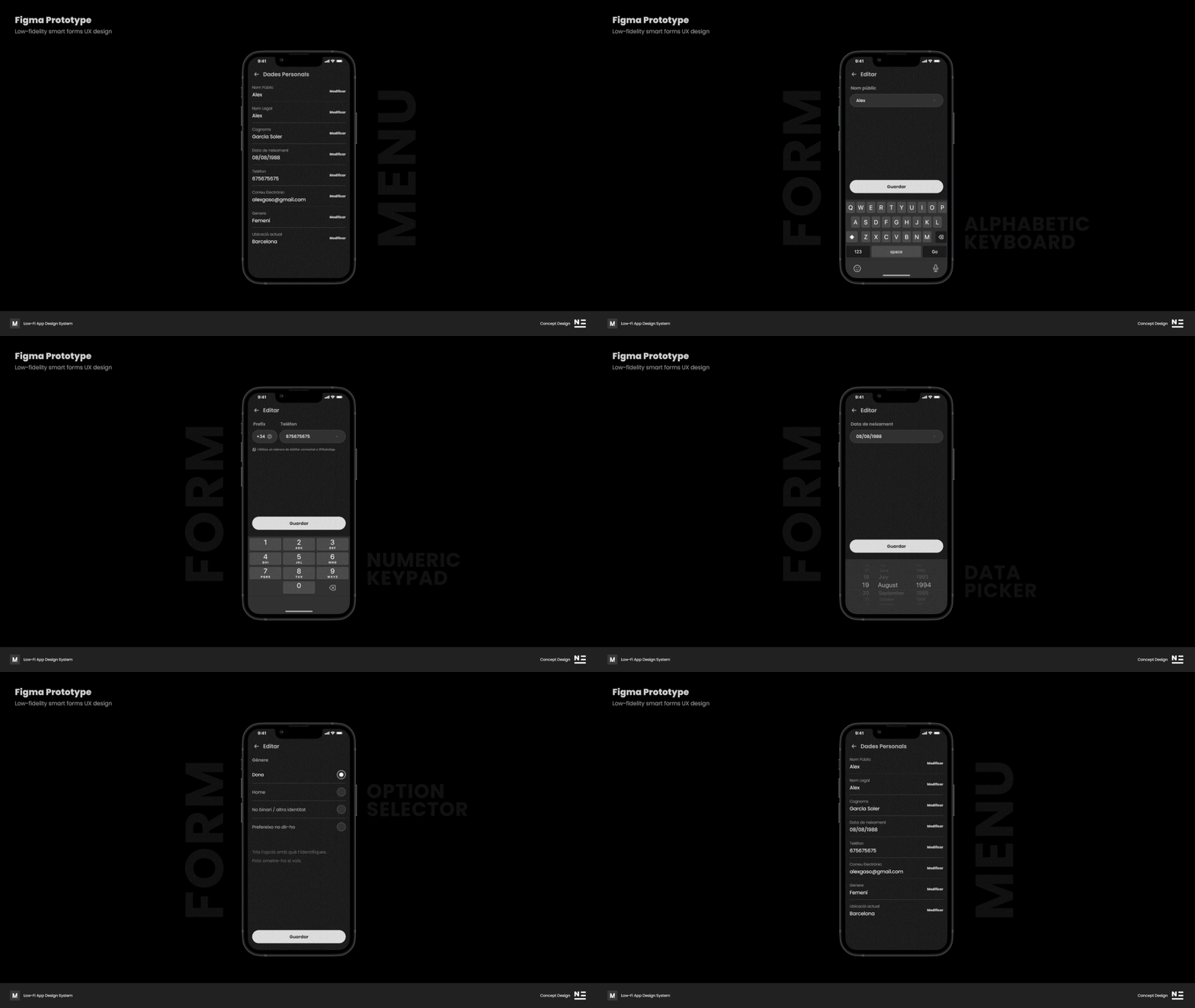

Smart Components & Variables in Figma
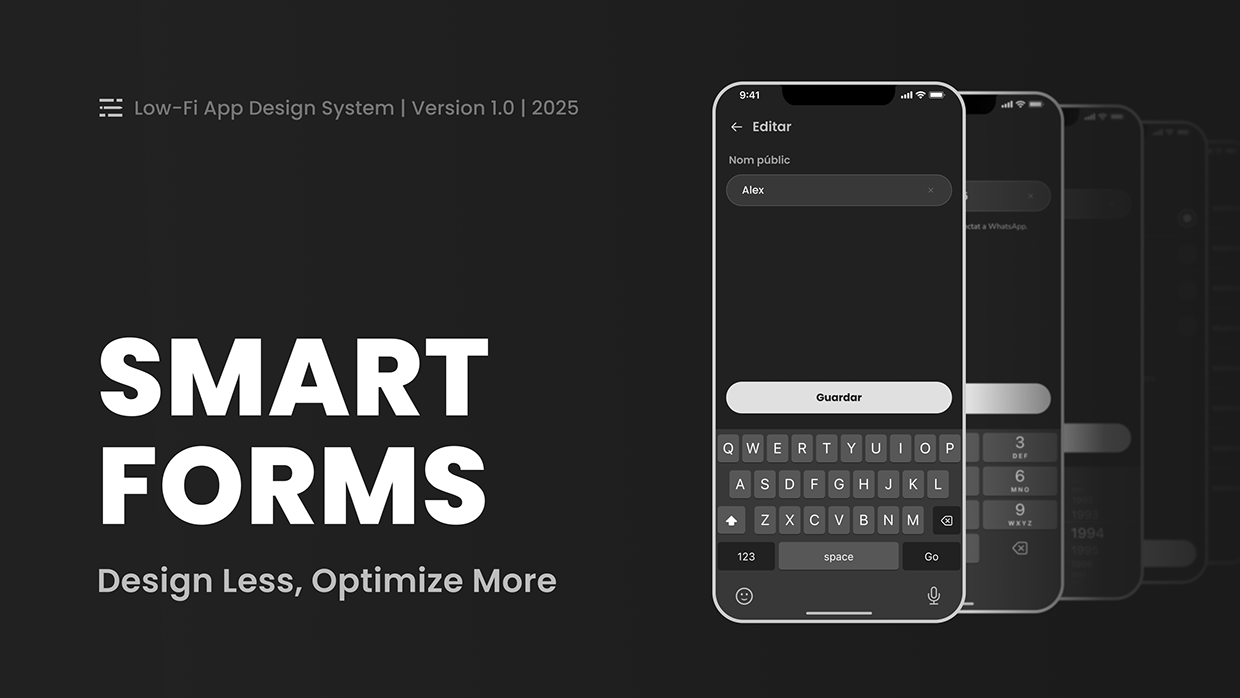
Project description
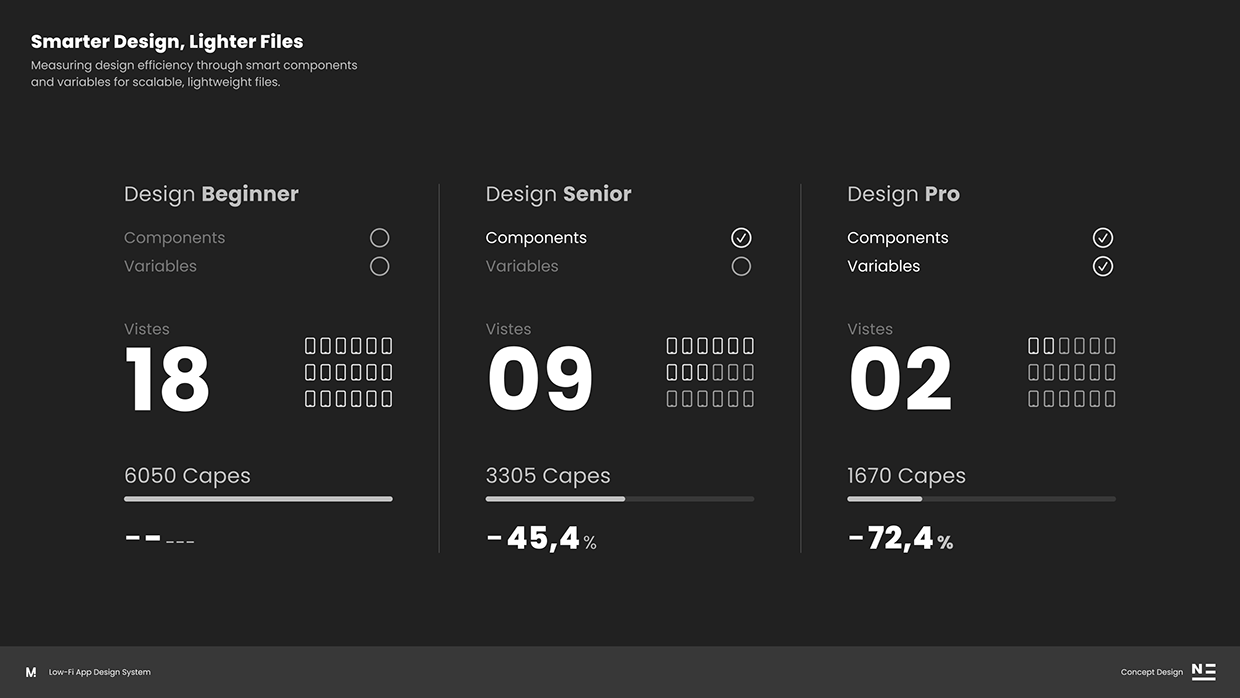
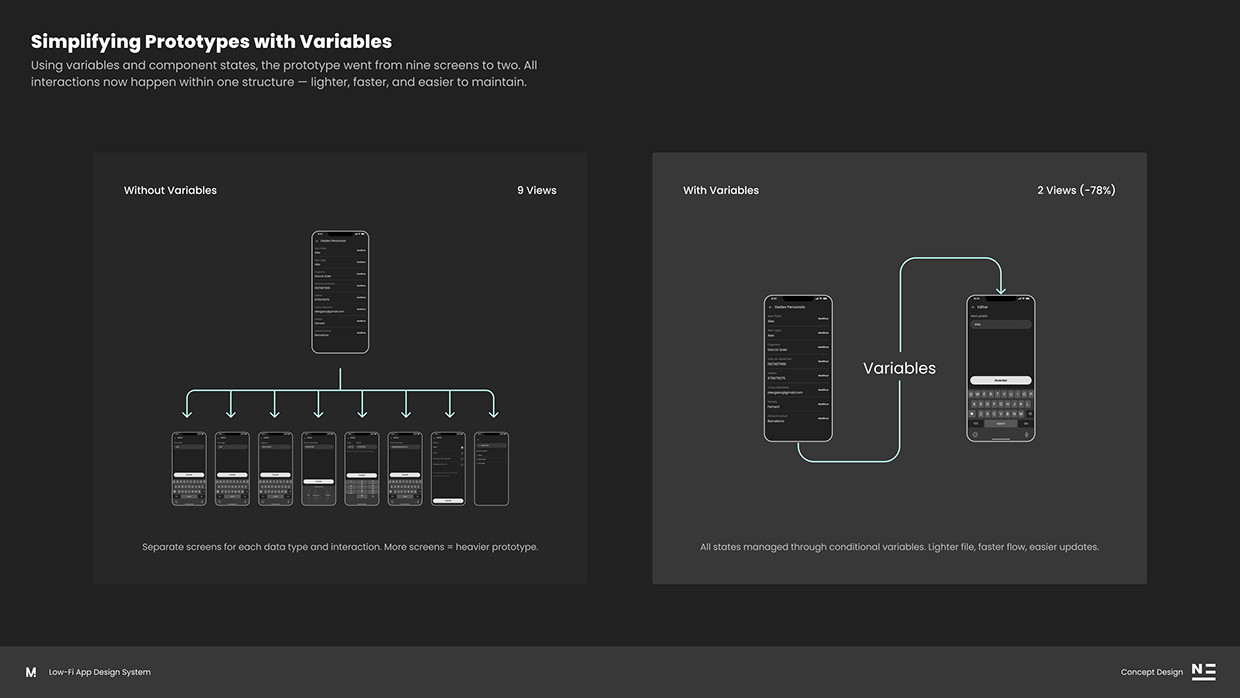
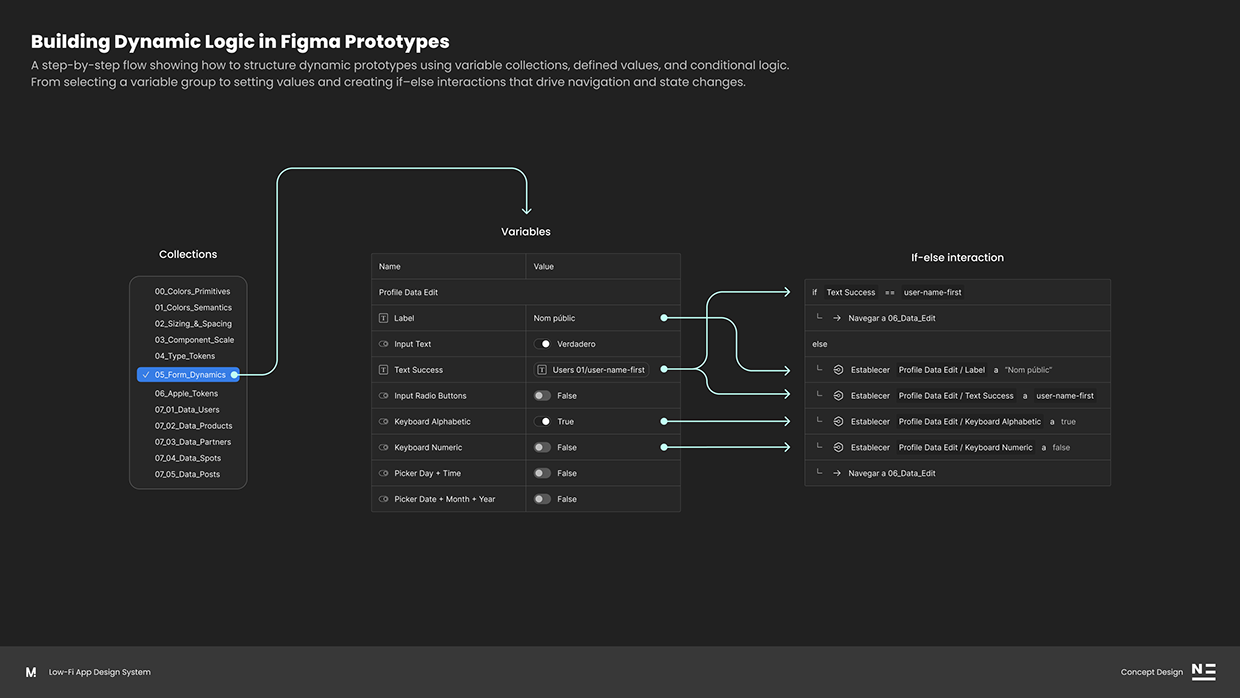
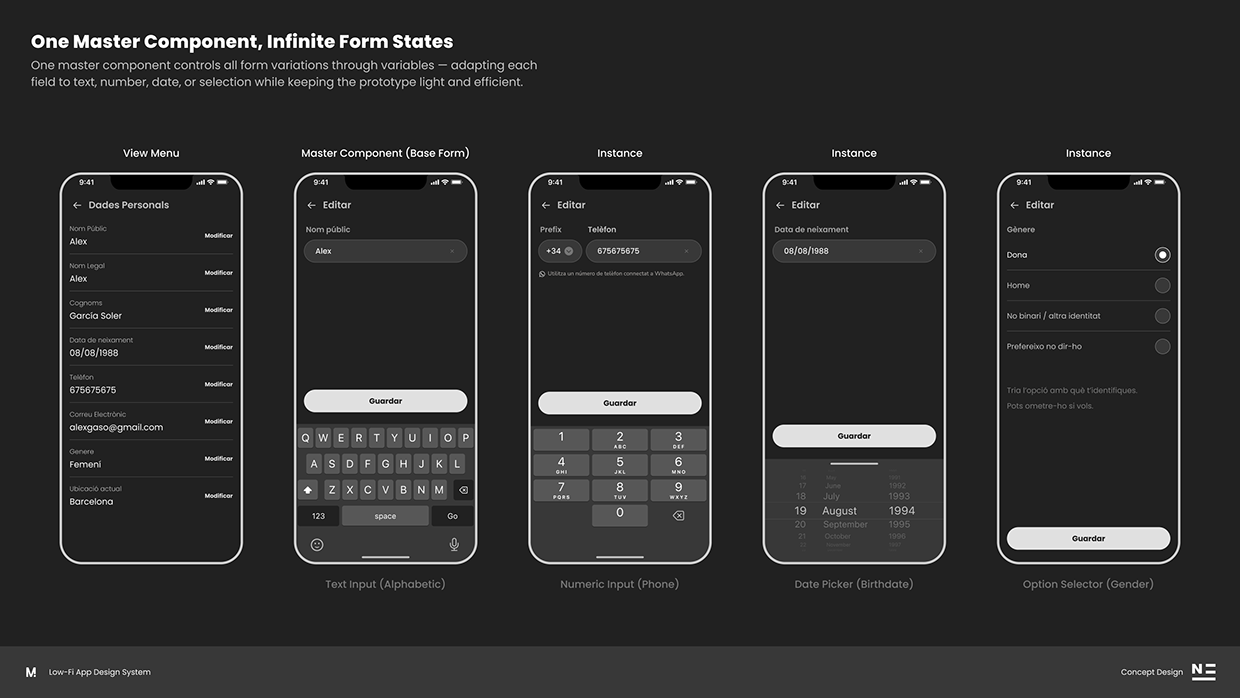
Designing screens is easy. Designing systems that scale is where the real challenge begins. This project explores how to optimize a Figma workflow using a single master component, variables, and conditional logic to reduce duplicated views, decrease file weight, and simplify long-term maintenance. Most prototypes end up overloaded with multiple screen variations just to represent different input types—text, numeric, date pickers, radio groups… But with a smart component architecture and the right use of variables, we can achieve: 9 screens reduced to 2 −45% fewer layers Faster, lighter, and more stable prototypes A scalable system that’s easier to maintain The master component automatically adapts to the field the user wants to edit (text, number, date, or selection) simply by updating its variable values. Conditional if–else logic handles state changes, input validation, and navigation within the prototype. The result is a prototype that feels lighter, faster, modular, and much closer