

Lumora — Build a film flow, watch it render | AI Workflow Editor
Project description
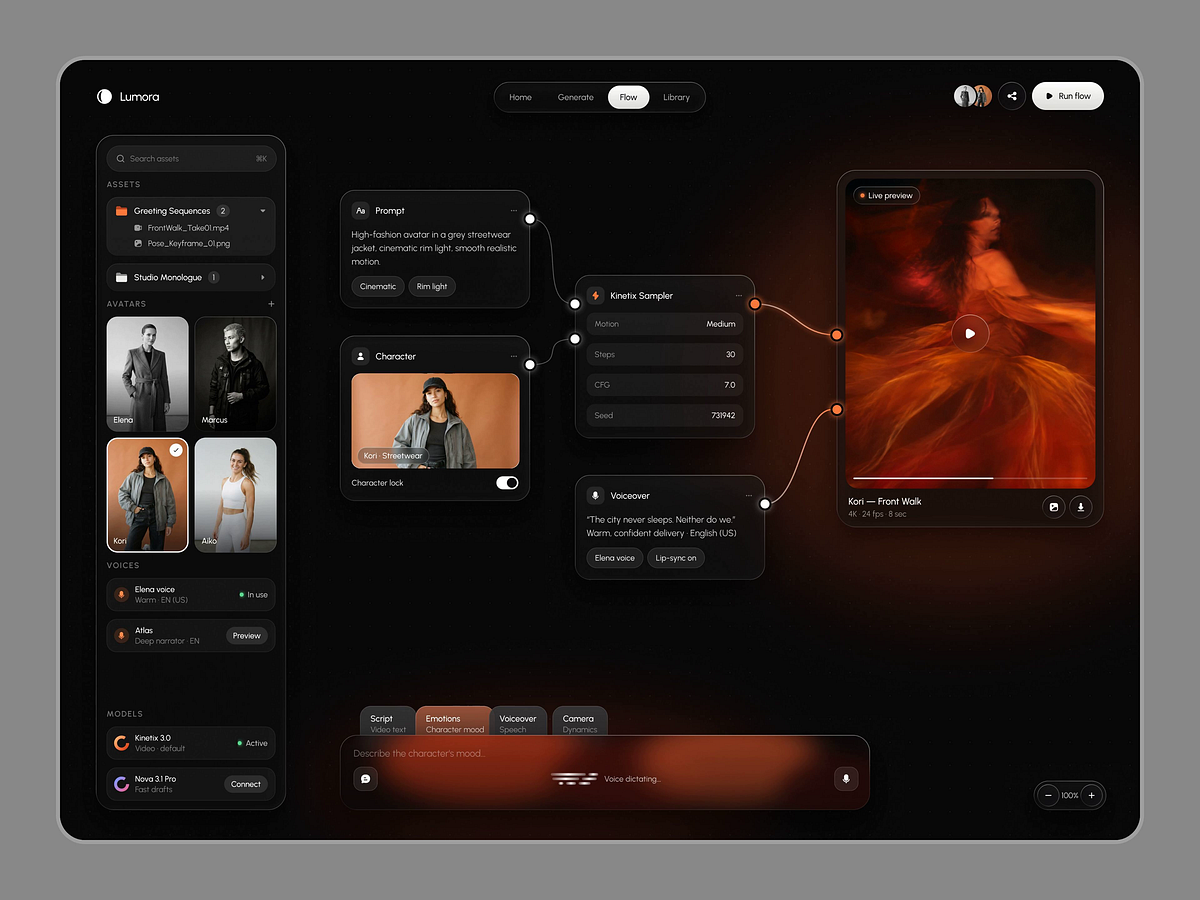
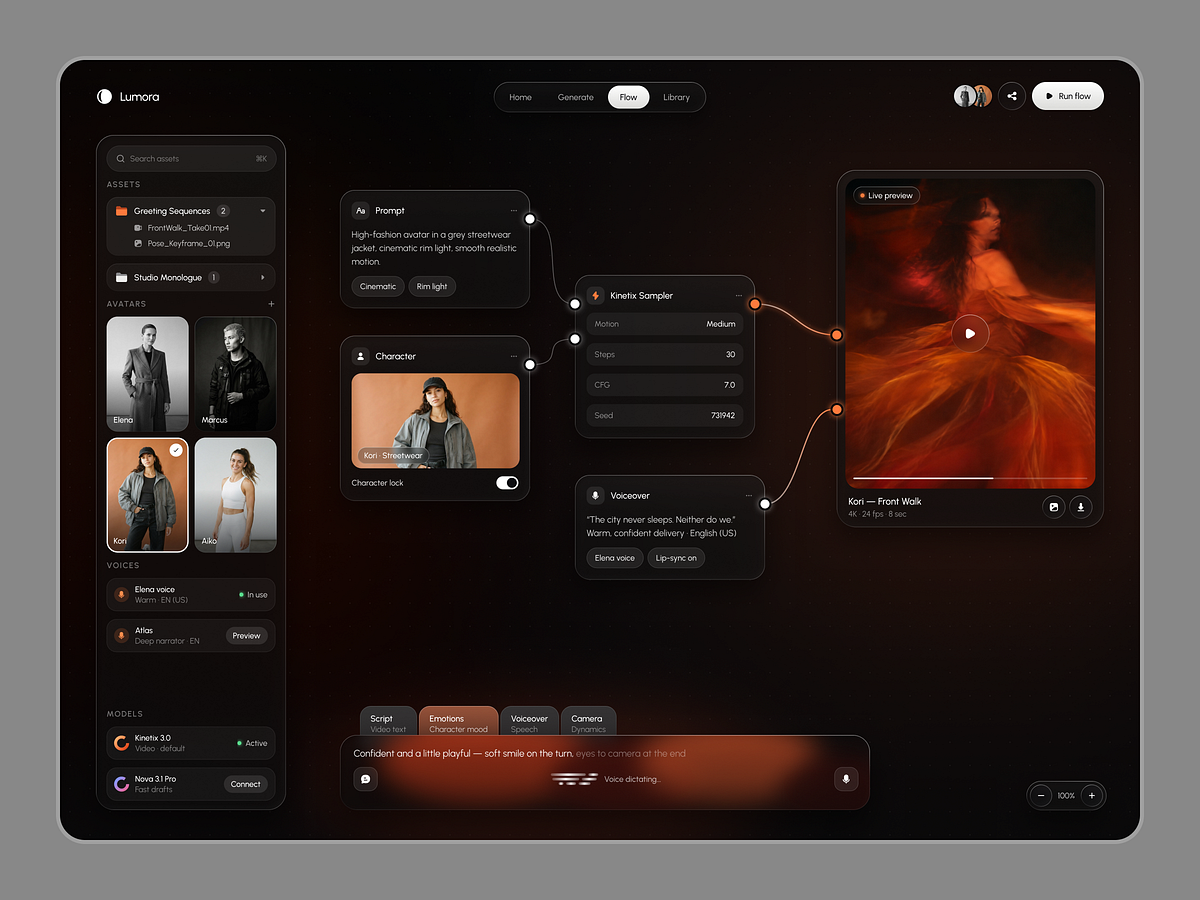
Lumora — AI Video Flow Editor & Render Queue Overview Lumora is an AI video generation studio for creators, brands and marketing teams. This shot shows two connected screens: a node-based Flow editor where you build a film from prompt, character, voice and music — and a Render queue where you watch that film finish in real time. The Problem AI video tools often feel like a black box. One long prompt controls everything, so small changes mean starting over Voice, music and motion live in separate tools and never line up After hitting "generate", users have no idea what's happening or how long it takes Credits disappear without a clear view of where they went The result: wasted renders, burned credits and teams that stop trusting the tool. The Solution Lumora breaks a film into simple, visual nodes that each do one job. Users can add a music score, change motion strength or describe a mood without touching anything else. One click runs the flow, and the Render queue shows live progress, credits used and a full breakdown the moment the film is ready. What I Designed Flow Editor: node canvas for prompt, character, voiceover, music and the sampler, all wired to a live output preview Node Palette: quick search to add nodes like Music, Sound effects, Upscale 4K or Captions Inline Settings: dropdowns inside nodes, such as Motion strength Low / Medium / High Run State: nodes confirm one by one while the output shows live render progress Render Queue: every job with status, progress, ETA and credits, plus live credit balance Job Details Drawer: preview, render specs, pipeline steps and one-click 4K download Why These Design Decisions Nodes instead of one long prompt: each part of the film can be changed without breaking the rest Live progress everywhere: the ring, the progress bar and the credit counter keep users informed at every step Dark cinematic UI with ember accents: keeps attention on the footage, with orange reserved for active states Toast plus drawer: users get a quick "ready" signal first, and full detail only when they want it Clear status colors: orange for in progress, green for ready, red for failed, readable at a glance Why It Helps For users: more control over every part of the film, with no guessing while it renders. For businesses: fewer wasted renders, transparent credit use and faster approval cycles. For startups/teams: a scalable workflow system that can grow with new models, nodes and pipelines. Who This Is For AI startups, creative-tech platforms and SaaS teams building video, media or generative workflow products that need power-user control without losing clarity. Open for Freelance & Collaborations Building an AI video platform, workflow tool, or SaaS product? As a Product Designer for AI & SaaS startups, I turn advanced technology into simple, premium experiences that users love and businesses grow with. Have a project in mind? Let's create something your users will love. 📩 Click Get in Touch or send me a Message on Dribbble.
Support this project
Be the first to upvote